Settling up
WeSpend assumes one person - the finance manager - holds the shared household money (the "pot"). When another member pays for something household-related from their own pocket, the household owes them that money back. The Settle tab keeps score.
How the math works
- Expenses marked Shared pot came out of household money - nothing to settle.
- Expenses marked Own pocket were fronted by a member personally. At the end of the week, the finance manager pays them back.
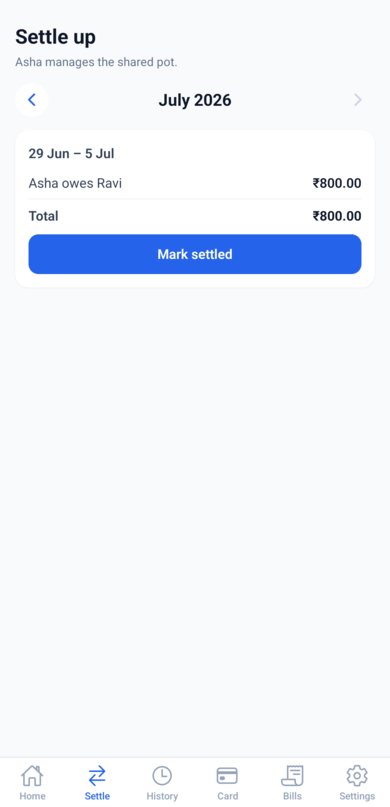
The Settle tab groups this by week (Monday to Sunday) and shows one line per debt: who owes whom, and the total.
Marking a week settled
Once the money has actually changed hands - cash, UPI, however you do it - tap Mark settled. The week is recorded as done and disappears from the outstanding list. There's no undo button for this, so settle the real money first, then tap.
The settlement reminder
Under Settings -> Reminders & auto-detect, the Activity notifications toggle enables a nudge every Sunday evening so settlement doesn't slip, plus a Monday follow-up for the finance manager if a week is still unsettled. The same toggle also covers notifications when members add, change, or settle expenses. Each member controls this on their own phone.
Changing the finance manager
In Settings -> Members, tap Make manager next to a member. Settlement directions update accordingly from then on.